


1. To set your PIN, go to “SIGN IN” or “Your Account” at catalog.ocls.org and select the “Reset/Create My PIN” link.
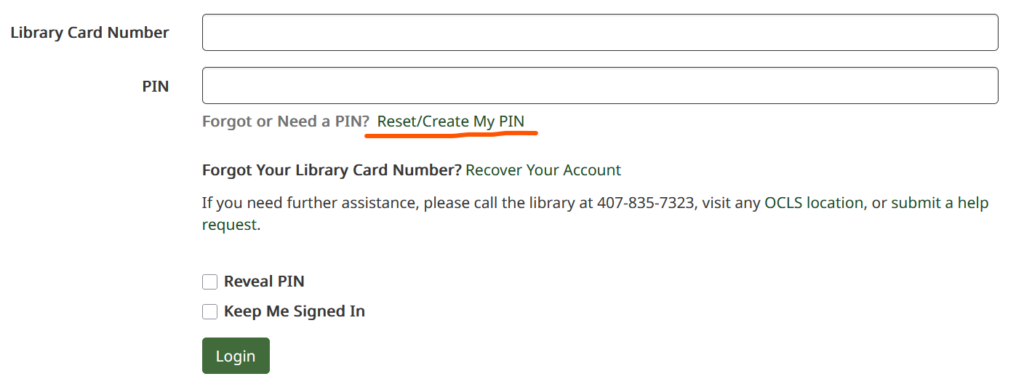
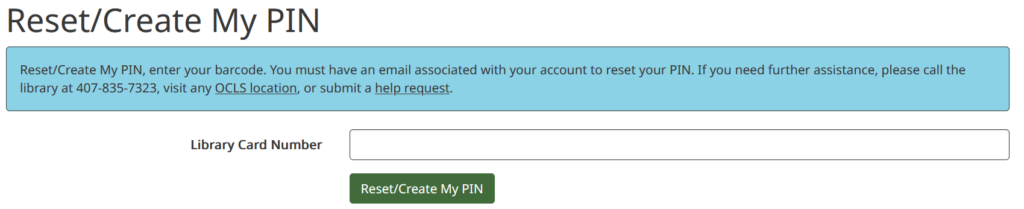
2. Enter your library card number and select the Reset/Create My PIN button.
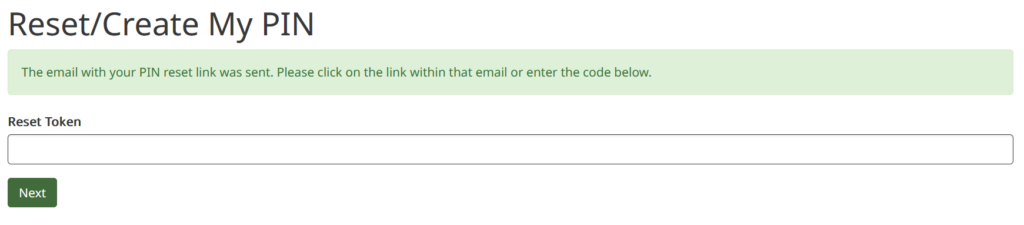
3. An email with a PIN reset link and token will be sent to the email address associated with your library card account. Select the PIN reset link in the email or copy and paste the reset token into the Reset/Create My PIN form.
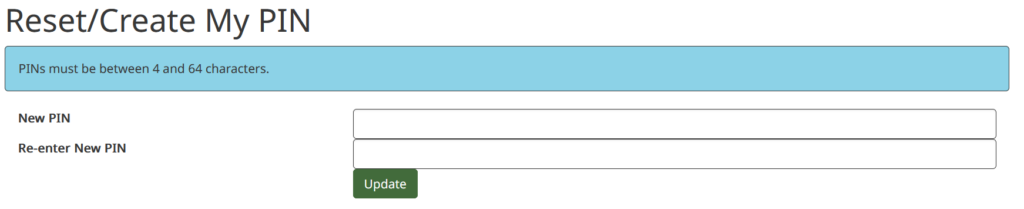
4. In the next screen, you will be prompted to enter a new PIN. Once you have entered the new PIN twice, select the Update button.
5. This takes you to a confirmation screen. Use the Continue to login button to use your new PIN to sign into your library card account.
